I run five or six Claude Code sessions at once on most days. One is refactoring an API, one is writing tests, one is chasing a bug I gave up on an hour ago. That works well right up until two of them finish at the same time and a third one stops to ask me a question I never see, because it is sitting in a terminal tab behind four other terminal tabs.
So I built a fix for my own desk in March, I have used it ever since, and today I am giving it away. It is called Claude VoicePlayer. It is free, open source under the MIT license, and it runs entirely on your own machine.
A Car Radio for Your Agents#
The easiest way to picture it is a car radio. Each agent session is a station. When a station has something to say, the player reads you a short spoken summary of what that agent just did, so you can keep your eyes on whatever you were doing. When an agent needs a decision, the player holds it on the dial until you answer.
That second part is the one I did not plan for. The first version, back in March, was a Stop hook that read the end of each reply aloud. It was nice. It also told me nothing about which session was blocked on me, and that turned out to be the real cost of running agents in parallel. The waiting is invisible. You find out twenty minutes later that an agent has been sitting on "should I delete the old migration?" the whole time.
What It Does#
The player is a small floating window on Windows. It does four jobs.
It speaks a one or two sentence summary of every Claude Code reply. The summary is written by Claude itself, then read by Kokoro, a small open source voice model that runs on your CPU. No audio leaves your machine.
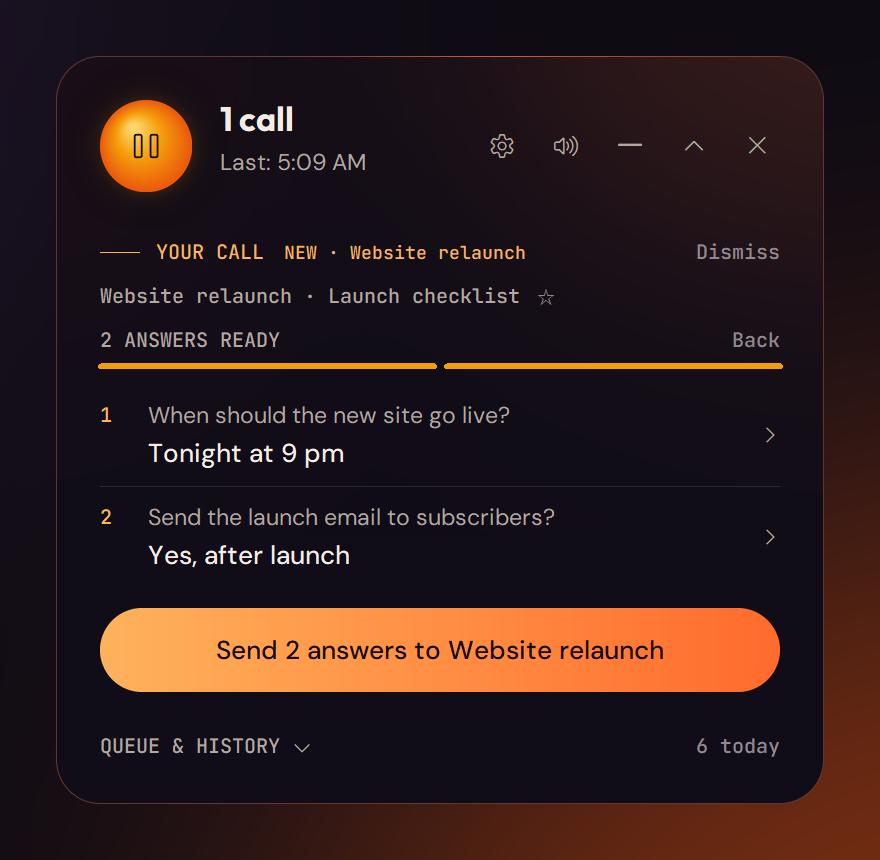
It collects every question your agents ask into one calls deck. Each call shows which project it came from, the question, and the options the agent offered. You pick an option or type your own answer, and the player sends it back to the right session.
It keeps a queue and a history, so you can replay what an agent said while you were in a meeting.
It gets out of the way. It shrinks to a one line capsule when nothing needs you, and to a small orb in the corner when you want it gone.
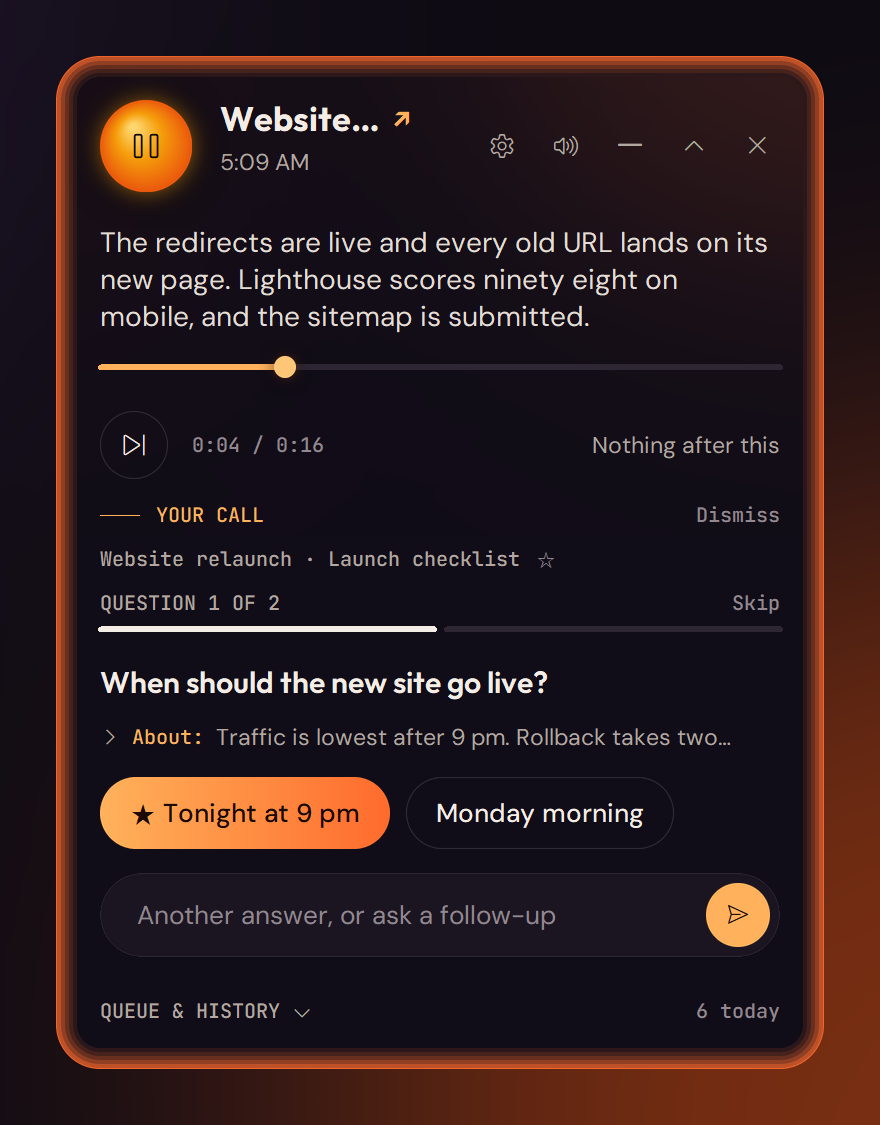
Calls can also come from the Claude desktop app and from Claude Projects, so a question asked in a cloud thread lands on the same deck as one from a local terminal. When a call has more than one question, the player walks you through them and shows a review step before anything is sent.
Why Local Matters Here#
An agent's replies contain whatever it is working on, which for me is usually client code. I did not want that text going to a cloud voice service just so I could hear it. Kokoro is about 300 MB on disk and runs at roughly six times real time on a laptop CPU, which is plenty for a two sentence summary. The summaries come from Claude Code, which has already seen the text, and the voice never leaves your machine.
There is a small irony in building a voice interface and then working hard to make sure it never talks to anyone but you. I am fine with that.
The Details I Fussed Over#
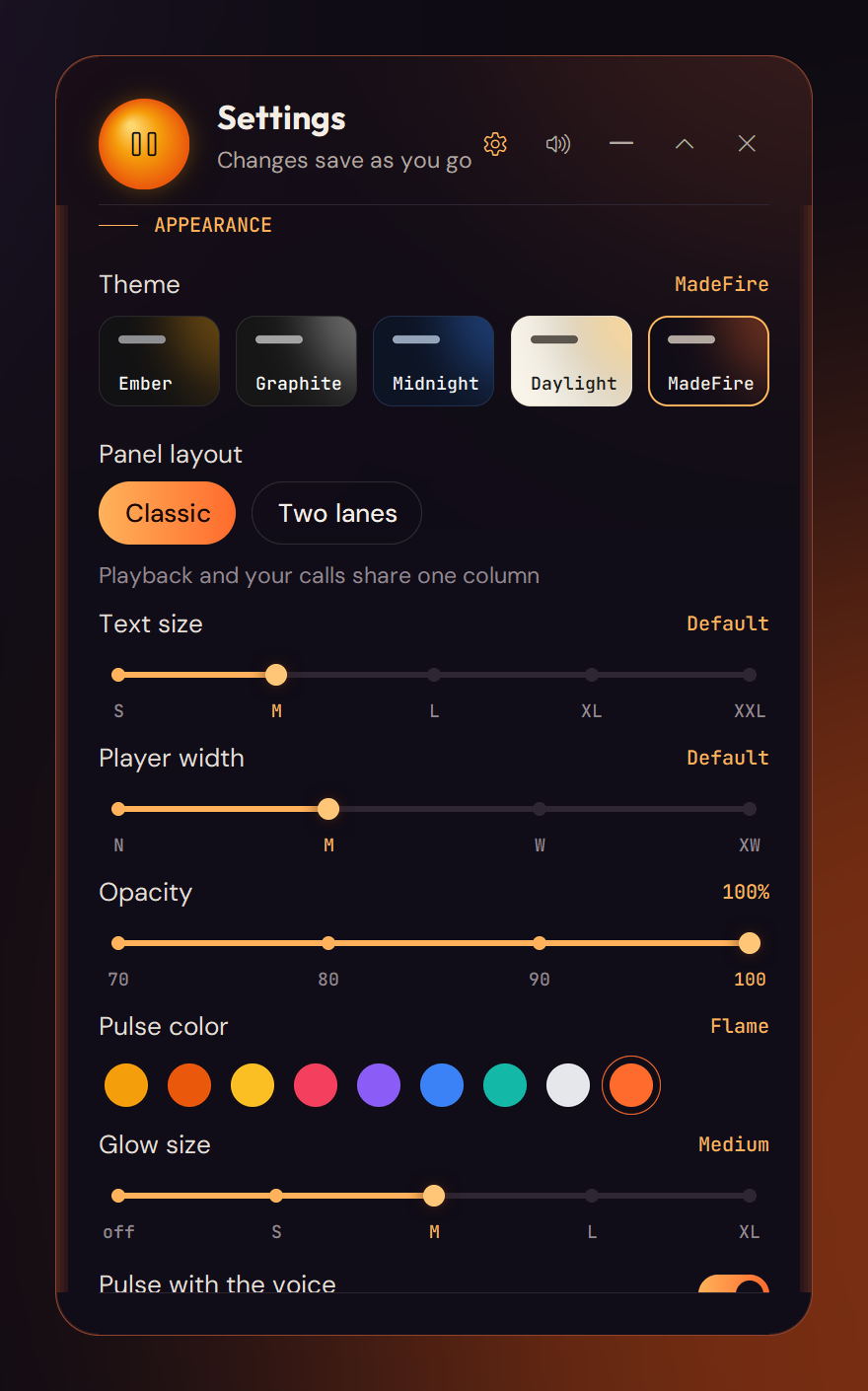
The player sits on screen all day, so it has to look like it belongs there. It ships with five themes (Ember, Graphite, Midnight, a light Daylight theme, and a MadeFire theme) and every one passes a 4.5:1 contrast check for text and buttons. The rim pulses with the loudness of the voice, so you can tell it is speaking with the sound off. Text size, width, opacity and the pulse color are all adjustable.
How to Install It#
You need Windows 10 or 11, Python 3.10 or newer, and Claude Code. The setup script creates a virtual environment, downloads the Kokoro model files, and adds two hooks to your Claude Code settings without touching the hooks you already have.
git clone https://github.com/yprimakov/claude-voice-player.git
cd claude-voice-player
python setup.py
The README on GitHub covers the rest, including how to turn voice on and off and how to answer calls from the Claude app. There is also a product page on madefire.ai with the full tutorial, and the build story is in my portfolio.
What I Want to Hear From You#
It is Windows only for now, because that is where I work. A Mac port is the obvious next step and the main thing I would want help with. If you run agents in parallel and handle the "who needs me right now" problem some other way, I would really like to hear how. And if you install it and something breaks, open an issue. I read them.
Claude VoicePlayer is made by MadeFire AI. It is an independent project and is not affiliated with or endorsed by Anthropic. Claude and Claude Code are trademarks of Anthropic.